
Binance
Change your referrer
Connect an existing Binance account
How to connect an existing Binance account with no referrer to CashMine.
Which accounts can connect
Only an existing account with no referrer can be connected to CashMine. Follow the steps below in order.
When cashback starts
Once the Rebind is confirmed and you register with CashMine, cashback applies to trades made after you register.
Step 1
Apply for Rebind
Apply on the Rebind page by entering the referral code CASHMINE.
Referral codeApply for Rebind on Binance (Opens in a new tab)CASHMINE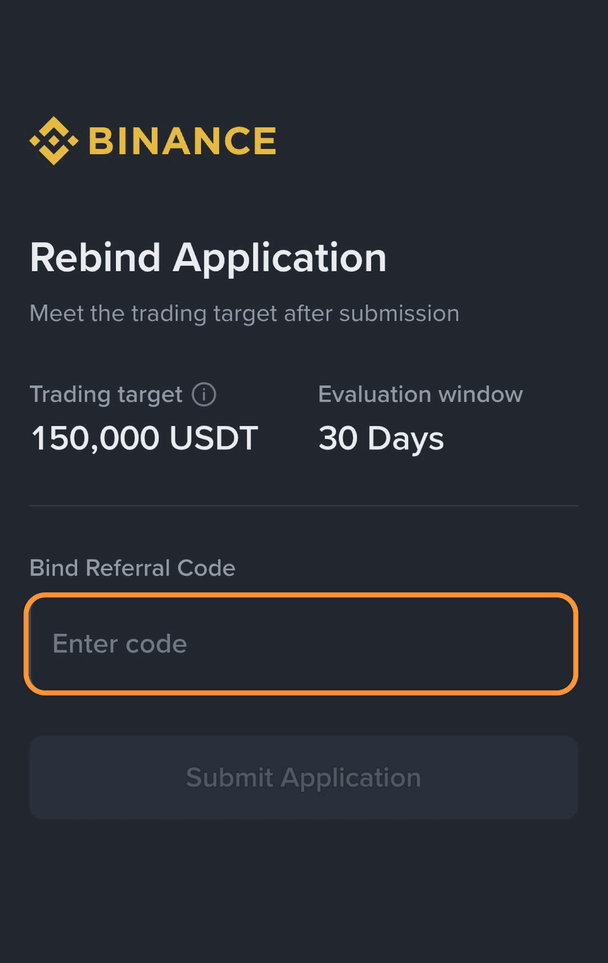
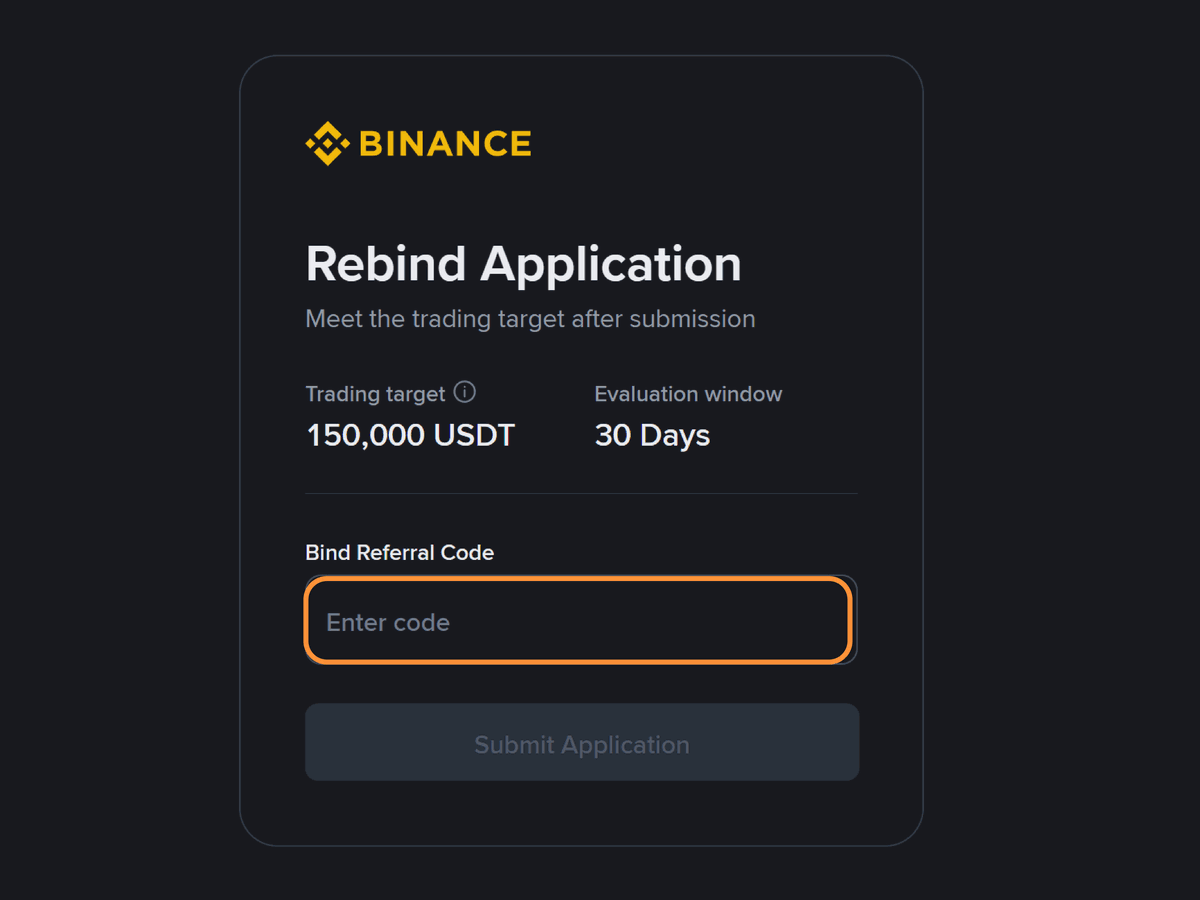
1. Open the Rebind page
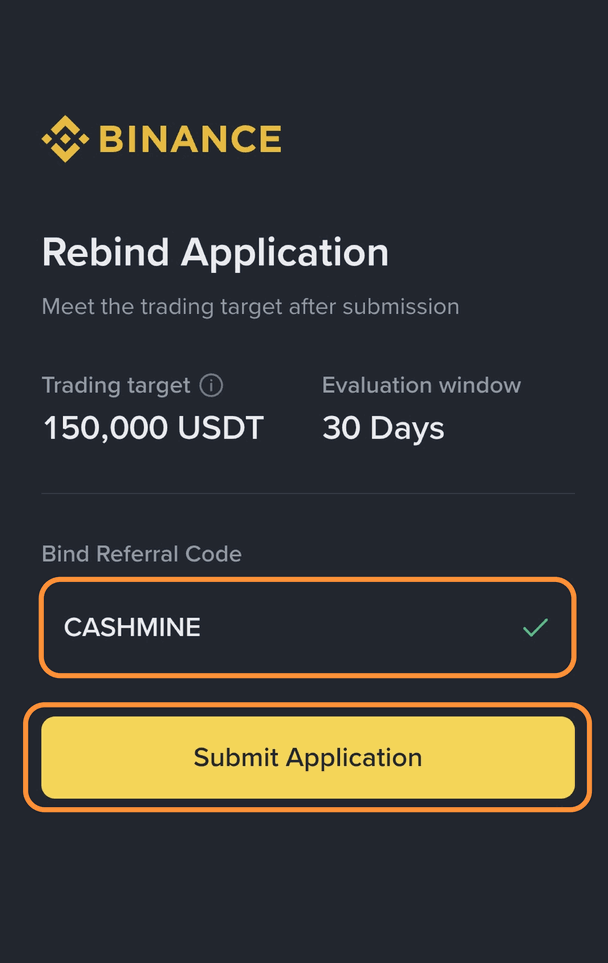
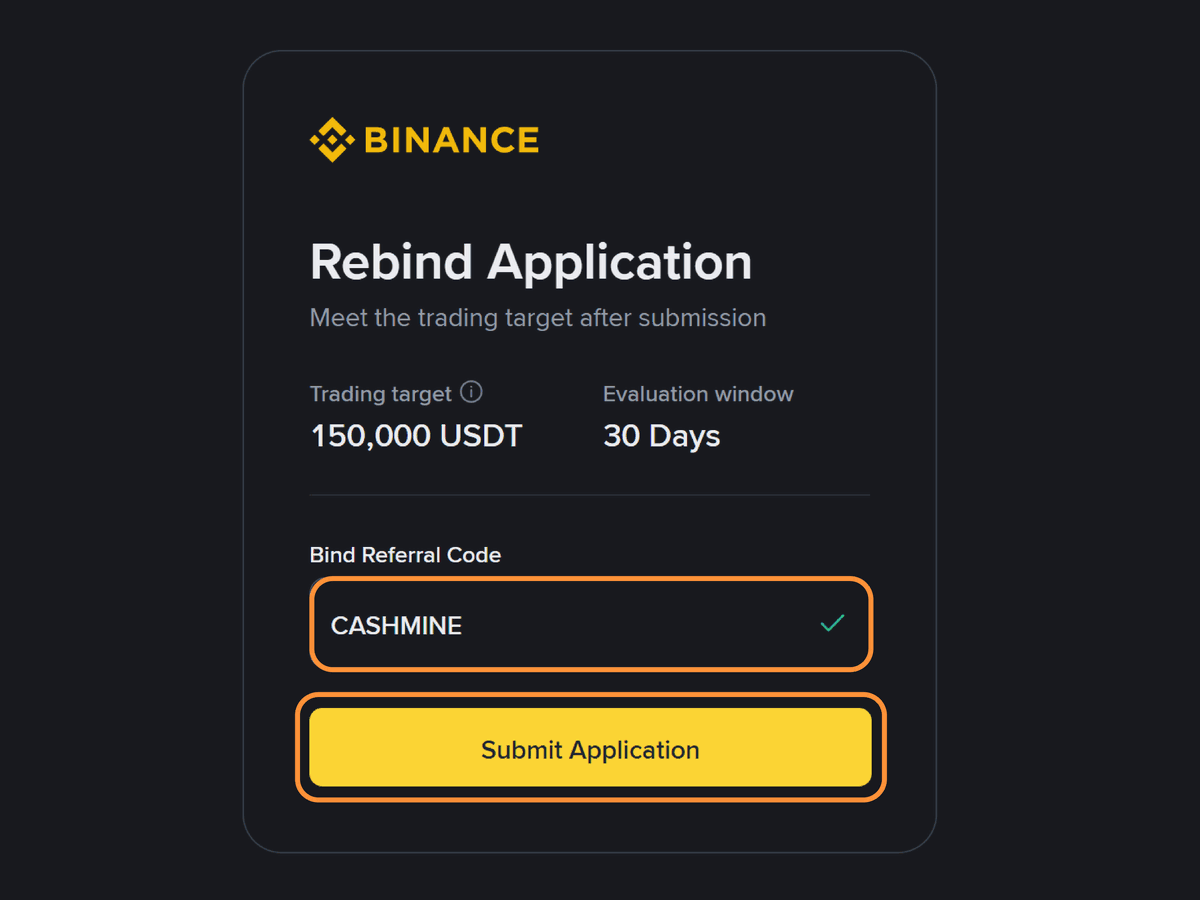
2. Enter the code and submit
Who can apply
- A KYC-verified main account
- No more than USD 5,000 in trading volume in the 90 days before applying
When it is confirmed
- 150,000 USDT in combined spot and futures volume within 30 days of applying
- Zero-fee pairs do not count
- Trades made while you work toward 150,000 USDT do not earn cashback.
- You cannot register your UID with CashMine before confirmation.
- Changing your KYC details during review cancels the application. You can apply again.
- See the UID linking guide
Step 2
Register with CashMine once confirmed
You can track progress on the Binance Rebind page. Once it is confirmed, register your Binance UID and API with CashMine. Cashback builds up from trades made after you register.
Step 3
Check with support
If you are not sure whether your account already has a referrer, or you do not know why your application was rejected, send your Binance UID to CashMine support. We will check it and get back to you.
None of these apply?
No Binance account yet
Sign up through the CashMine link to get cashback from the start.
See the sign-up guideAlready has a referrer
This Binance account cannot be connected. Use another exchange CashMine supports.
See other exchanges